Webflow vs Framer vs WordPress: 2026 Comparison
Compare Webflow, Framer, and WordPress in 2026. Explore design flexibility, SEO capabilities, performance, pricing, and scalability to choose the right platform.
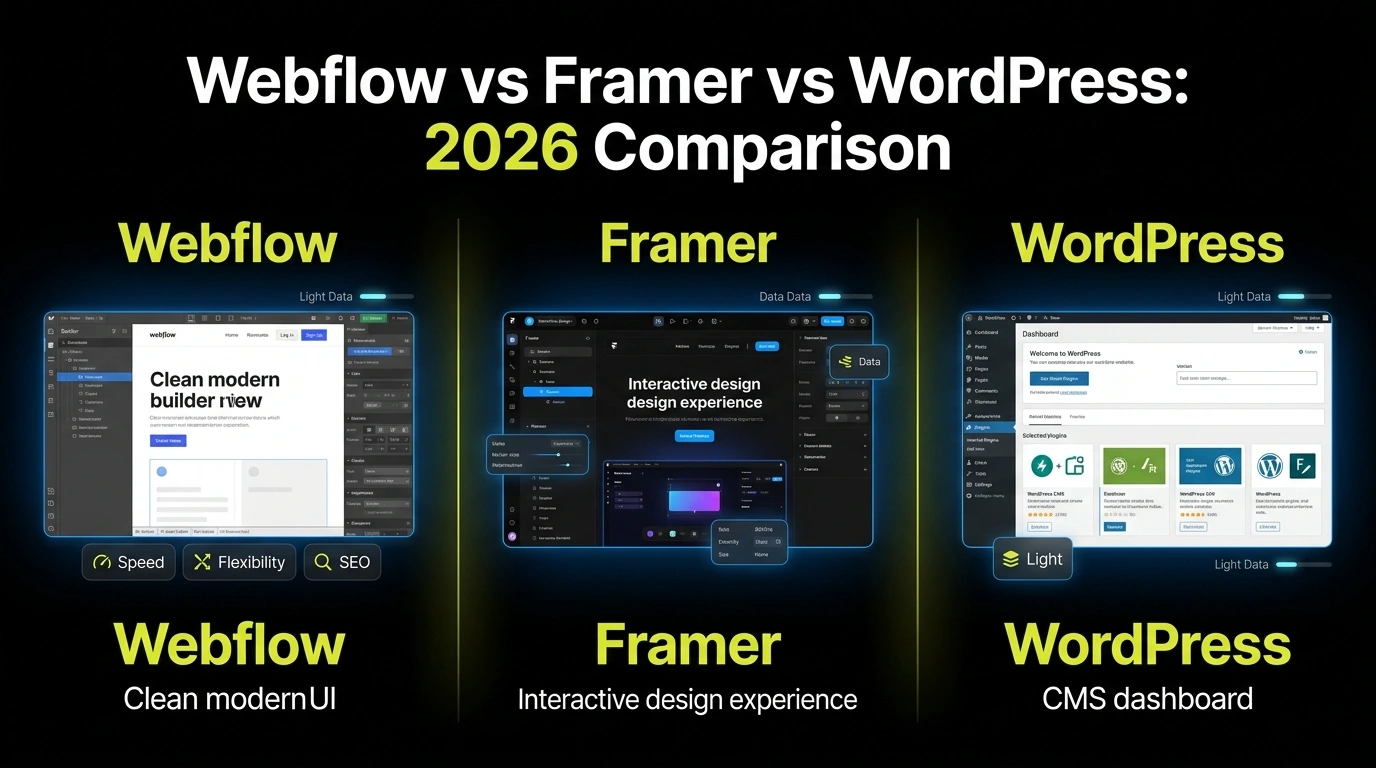
Compare Webflow, Framer, and WordPress in 2026. Explore design flexibility, SEO capabilities, performance, pricing, and scalability to choose the right platform.
Real projects across branding, packaging, websites and growth.
Straight answers on this topic from the UnFoldMart team.





From branding and packaging to Webflow websites, SEO, AEO and GEO, UnFoldMart brings strategy, design and growth under one team for 250+ brands across 8 markets. Tell us where you want to grow and we'll show you the fastest way there.


Choosing a website platform in 2026 isn’t simple anymore.
AI builders are everywhere.
Performance expectations are higher.
SEO is evolving fast.
And design standards keep rising.
If you’re building or rebuilding a website, you’re probably deciding between:
Each one has strengths.
Each one has trade-offs.
So instead of hype, let’s break this down clearly and practically.
By the end, you’ll know which platform fits your growth stage in 2026.
Here’s the simplified overview:
Webflow
Best for: SEO-driven startups and agencies
Strength: design control + clean code
Learning curve: moderate
Framer
Best for: landing pages and creators
Strength: speed + simplicity
Learning curve: beginner-friendly
WordPress
Best for: complex or content-heavy sites
Strength: flexibility + plugin ecosystem
Learning curve: depends on setup
Now let’s go deeper.
Webflow is a visual website builder that outputs clean, production-level code.
It combines:
It’s popular among startups and marketing teams that want:
Unlike traditional builders, Webflow gives you deep control over structure without requiring full development knowledge.
It sits between no-code and custom code.
Framer started as a design tool and evolved into a website builder.
It focuses heavily on:
Framer is extremely easy to use compared to Webflow.
It’s ideal for:
The platform prioritizes simplicity and design speed over complex backend systems.
If you want a modern-looking site live in days, Framer excels.
WordPress is the most widely used CMS in the world.
It’s open-source and highly customizable.
Its power comes from:
You can build almost anything with WordPress.
But that flexibility often requires:
WordPress offers freedom.
But freedom comes with responsibility.
Let’s be honest.
Framer is the easiest to start with.
Its interface is intuitive and beginner-friendly.
Webflow has a learning curve.
It feels closer to design software than a drag-and-drop builder.
WordPress depends heavily on your setup:
If you want quick simplicity → Framer
If you want structured control → Webflow
If you want full ecosystem flexibility → WordPress
This is where Webflow shines.
Webflow offers:
Framer also offers strong visual design, especially with animations.
But for complex layouts and CMS-driven designs, Webflow is stronger.
WordPress design depends heavily on:
Without custom coding, WordPress design flexibility is theme-dependent.
SEO in 2026 is about:
Webflow offers:
Framer supports basic SEO controls but is less robust for complex content structures.
WordPress offers powerful SEO - but mostly through plugins.
Tools like Google Search Console integrate well with all three, but WordPress often requires additional setup for optimization.
If SEO is a major growth channel, Webflow provides strong native support without plugin dependency.
Speed directly impacts rankings and conversions.
Webflow:
Framer:
WordPress:
Poorly managed WordPress sites often struggle with performance.
In managed environments, it can perform well - but it requires effort.
This depends on your business model.
Webflow scales well for:
Framer scales well for:
WordPress scales best for:
If your site needs complex backend systems, WordPress still leads.
If your focus is marketing + SEO, Webflow often feels cleaner.
WordPress requires ongoing maintenance:
This increases management overhead.
Webflow:
Framer is similar in simplicity - minimal maintenance required.
If you want low technical overhead, Webflow and Framer are easier.
Framer:
Webflow:
WordPress:
In the long run, WordPress can become more expensive depending on customization.
Choose Webflow if you:
It balances performance, control, and scalability very well.
Choose Framer if you:
It’s perfect for speed and simplicity.
Choose WordPress if you:
It’s powerful but demands management.
There is no universal winner.
The right choice depends on:
Startups focused on marketing growth often lean toward Webflow.
Creators and small businesses often choose Framer.
Complex businesses still benefit from WordPress.
Choose based on long-term strategy, not short-term convenience.
Your website isn’t just design.
It’s your growth engine.
At UnFoldMart, we help brands choose and build on the right platform based on SEO, performance, and long-term scalability - not just trends.
👉 Talk to our team and build a website designed for growth in 2026.
Got Questions? We’ve Got Answers – Clear, Simple, and Straight to the Point
Many startups prefer Webflow for marketing-focused growth.
Yes, but migrations require planning and SEO protection.
Framer works best for smaller sites and landing pages.
Webflow offers strong native SEO controls without plugin dependency, making it simpler for many startups.

We help modern businesses unify branding, websites, SEO, and paid media into one performance-driven system designed to scale.




Taunustor 1, Frankfurt am Main, 60310, Germany

Huis te Landelaan 130-a Zuid, 2283 SJ Rijswijk, Netherlands
Basisweg 10, 1043 AP Amsterdam, Netherlands

32 London Bridge St, London SE1 9SG, United Kingdom

75 Avenue de la Grande Armée, 75016 Paris, France

P.º de la Castellana, 259C, Planta 19, Fuencarral-El Pardo, 28046 Madrid, Spain

plac Europejski 1, 00-844 Warszawa, Poland

555 Burrard St Vancouver, BC, V7X 1M8, Canada

604 Elias Rd, #03-200, Singapore 510604

Suite 18, Level 18 The Executive Centre, Tower A, DLF Epitome, DLF Cyber City, Gurugram, 122002










.jpeg)
.jpeg)
.jpeg)














.jpeg)

.jpeg)



.jpeg)

.jpeg)



.jpeg)
.jpeg)



.jpeg)
.jpeg)
.jpeg)
.jpeg)

.jpeg)


.jpeg)